
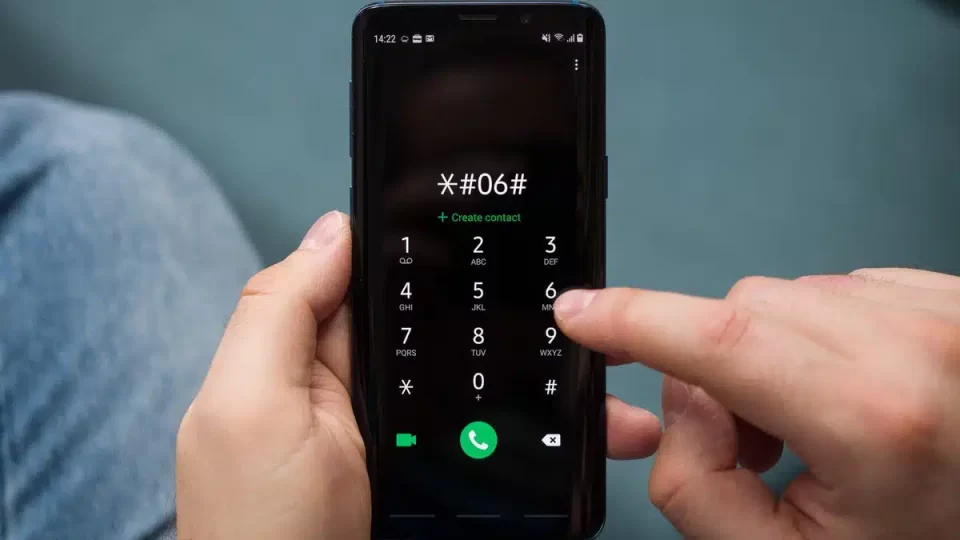
In 2026, buying a smartphone without verifying its authenticity is a real risk, especially with the boom in resale and refurbished devices. An IMEI check is now one of the fastest ways to see if a phone is genuine, unlocked, and safe to use. It can reveal if a device has been reported lost or stolen, blacklisted, or altered. That means you avoid paying good money for a phone that could be blocked next week. Movical makes this whole process simple and quick, giving you clear, instant data before you decide to buy.
Why Smartphone Authenticity Has Become a Bigger Concern in 2026
The mobile market in 2026 is crowded with second-hand, imported, and refurbished phones, and not all of them are what they claim to be. Fake, cloned, or tampered devices can look perfect on the outside but hide serious problems inside. Buyers need a reliable way to cut through sales talk and see the real status of a phone. An IMEI check does exactly that, turning a risky guess into a data-based decision. Movical focuses on making that verification step easy for everyday users, not just tech experts.
How IMEI Numbers Confirm Whether a Phone Is Genuine
Every mobile phone has a unique IMEI number that acts like its digital fingerprint. When you run an IMEI check, you compare the device in your hand with the official data registered for that number. If the brand, model, and technical details match, you know the phone is genuine and not a disguised clone. If there are gaps or inconsistencies, that’s a clear warning sign. Movical uses trusted databases to show this information in seconds, so you can quickly see if a seller’s story matches reality.
Key details you can confirm with Movical
- Brand and exact model
- Original manufacturing data and specs
- Region of origin and compatibility
- Basic authenticity signals that flag obvious clones
Identifying Stolen or Replica Devices Through IMEI Data
Stolen and replica phones are a growing problem, especially in online marketplaces and private sales. A phone can look new and work fine today, then be blocked by the network once it’s flagged as stolen. An IMEI check helps you see if a device is blacklisted or associated with theft or loss. It also helps you spot replicas, where the IMEI data doesn’t match the hardware or model being sold. Movical lets you run these checks quickly so you avoid getting trapped with a phone you can’t safely use.
How Movical helps protect you
- Checks if the IMEI appears on blacklist databases
- Highlights mismatch between claimed model and IMEI data
- Flags devices with suspicious or incomplete records
- Reduces the chance of getting stuck with a blocked device
Understanding Network Lock and Unlock Status Before Purchase
Many phones in the resale market are still locked to a specific carrier, which can limit how and where you use them. If you buy without checking this, you might end up with a device that won’t work with your SIM or local networks. An IMEI check reveals whether a phone is locked or unlocked, its original carrier, and sometimes its eligibility for unlocking. Movical specializes in this type of information, making it clear and easy to understand. This helps you decide if a phone is really a good deal once you factor in its lock status.
Why lock status matters
- Determines if the phone will work with your current SIM
- Affects your ability to use the phone while traveling
- Impacts resale value and future flexibility
- Helps you see if you need an unlock service before or after purchase
How IMEI Checks Reduce Risk in Online Phone Marketplaces
Buying phones online in 2026 is convenient but risky, because you often can’t test the device in person. Photos and descriptions can be misleading, and once you pay, it’s harder to fix a bad purchase. Running an IMEI check before you commit helps you confirm that the device is clean, authentic, and correctly described. It turns an emotional decision into a safer, informed one. With Movical, you can verify phones quickly so you don’t have to rely purely on seller promises or star ratings.
Practical ways to use Movical before buying
- Ask the seller for the IMEI and run a check before paying
- Compare Movical’s data with the listing details and photos
- Avoid listings where the seller refuses to share the IMEI
- Keep a record of the IMEI report as proof of the device’s status
Using Instant Verification Tools to Build Buyer Confidence
Speed matters when good deals appear, especially in auctions or limited-time offers. You need a way to verify a phone in minutes, not days. Instant IMEI check tools like Movical give you immediate answers so you can decide fast without guessing. This builds your confidence as a buyer, because you know you’re not walking into a costly mistake. It also helps honest sellers stand out when they’re willing to verify their devices through a trusted service.
Why choose Movical for your IMEI checks
- Fast, simple IMEI checks designed for everyday users
- Clear reports that focus on what really matters: authenticity, blacklist, and lock status
- A trusted brand with experience in unlocking and device verification
- Helpful if you buy, sell, or trade phones regularly and want a reliable safety filter
If you’re planning to buy or sell a phone in 2026, don’t leave authenticity to chance. Use Movical to run an IMEI check before you commit, and protect your money, your data, and your peace of mind.
