
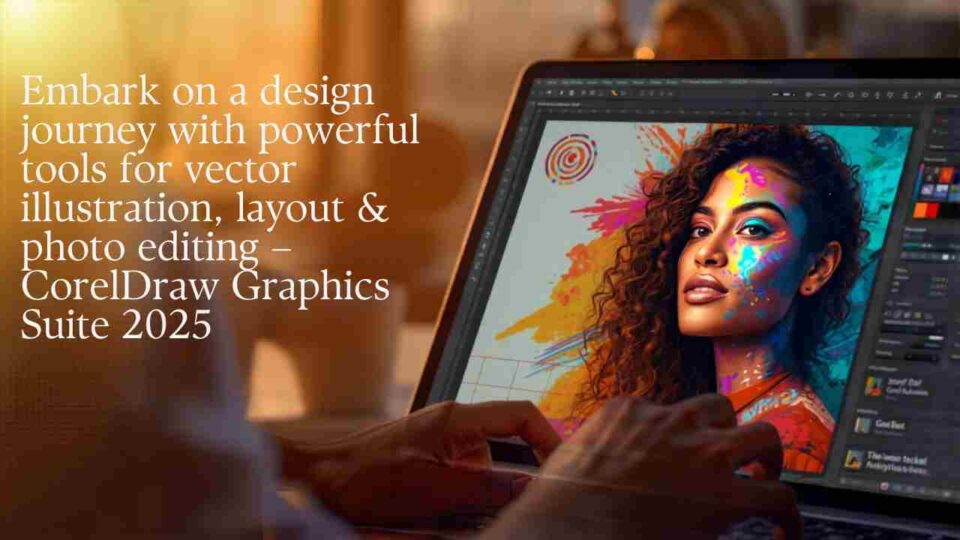
There’s always a challenge when it comes to working in the graphics world. You will have a plethora of projects that can be tricky to manage, more often than not. That’s why it’s important to know what tools you can use and how to make the most out of them. And that’s exactly where CorelDraw Graphics Suite 2025 comes into play.
It includes all the graphics tools you need
One of the things that makes CorelDraw Graphics Suite 2025 stand out is the great array of tools that it includes. For example, it has CorelDRAW, which is great for vector illustration. It also has Photo-Paint, which is good for pixel-based image editing. And then there’s the Font Manager which is also included, PowerTRACE for AI-drive bitmap-to-vector tracing, the web version of Corel DRAW and the Creative Content Libraries. There’s all you need from a graphics standpoint so you can push the boundaries of your work to the next level.
Browser and cloud-based tools
It’s nice to see tools like CorelDraw Web and Go, because these are good for designing and working in your browser. Maybe you need to work and keep the projects you want in the cloud. If that’s the case, CorelDraw Graphics Suite 2025 delivers on that promise. You can work with any type of supported file, and then you can also add the items inside the Creative Content Library. It truly is an excellent experience and great value, something you do want to take into account here.
Excellent creative tools
With the Painterly brush tool that got some updates for this version, it’s easier to simulate traditional art media, access powerful brush controls, but also include crosshair cursor support and many others. It helps take things to the next level, while alleviating any concerns and pushing the limits a whole lot more than you might need. You also get new free brush packs with CorelDraw Graphics Suite 2025 as well. And realistically, those can easily come in handy, depending on the project that you are working on.
Powerful output and print controls
With CorelDraw Graphics Suite 2025, you also have access to advanced print to PDF solutions, all of which are quite powerful and exciting as well. You get the Print to PDF engine with advanced layout controls, which can make it easier to print to PDF, not to mention you can have print-ready files without third party tools, something that matters immensely.
Workflow improvements
Another benefit of CorelDraw Graphics Suite 2025 is the fact that it brings much-needed UI improvements and enhancements. These are designed to further improve the workflow, while also making it easier to work with the system, overall.
The performance improvements are prevalent, since you have better responsiveness and stability. Plus, there is faster rendering and processing, and the memory management has improved considerably too, something to keep in mind.
Additionally, you will notice that there is font integration and typography is added in there as well. You have direct access to hundreds of fonts that are integrated within the font management system. On top of that, you will also get enhanced handling of embedded or missing fonts, something that will help improve the workflow more than expected. And of course, you get multi-page along with multi-asset management as well. If you need to create packaging projects, brochures or multi-page catalogs, those things are incredibly important.
Excellent assets you can use
CorelDraw Graphics Suite 2025 does a very good job at bringing in front all kinds of assets and tools that you can use whenever you see fit. There are thousands of icons and clip art graphics, hundreds of templates, over 1000 different vector fills and high-res photos, not to mention a large collection of brushes and fonts.
Then, there are advanced features you can access in this as well. There are the perspective tools that can make it easier to switch perspective in any way you want. And of course, you can also find some non-destructive effects. Being able to integrate all these things is super handy, and it will eliminate a whole lot of potential challenges that might arise.
Conclusion
Overall, the CorelDraw Graphics Suite 2025 does a very good job at bringing in outstanding features in place, all while saving both time and effort. It’s an exceptional approach to consider, and one that can help save a huge amount of time and effort. If you want to buy CorelDraw Graphics Suite 2025 online in India, you can do that right away from Dolphin Computers. Our team is here to assist with affordable prices and all the assistance you need for using and installing these systems. Avail the opportunity and you will have a great experience using CorelDraw Graphics Suite 2025!
