
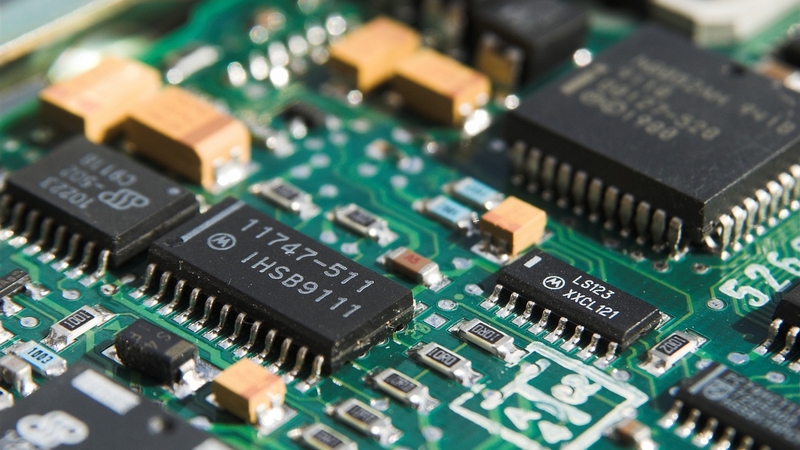
So you’ve got a project in mind — maybe a custom controller, a sensor board, or something you dreamed up at 2am and actually want to build. You’ve got a rough schematic, some ideas, and then you open a component catalog and suddenly you’re staring at 47 variations of the same resistor wondering what any of it means.
Choosing common PCB components doesn’t have to be overwhelming. Once you understand what actually matters for each component type, the decisions get a lot more straightforward. Here’s a practical guide to the key choices you’ll face and how to think through them.
Start With Your Requirements, Not the Parts
Before you touch a component catalog, get clear on a few fundamentals about your build:
What’s your operating voltage? This affects almost every component you’ll choose. A 3.3V microcontroller build has very different requirements than a 12V motor driver circuit.
How much current are you dealing with? Low-current signal circuits and high-current power circuits need very different components — and mixing them up is a fast way to burn something out.
What’s the environment? A board that lives inside a climate-controlled device has much more forgiving requirements than one that needs to survive heat, cold, vibration, or moisture.
Getting these answers first will filter out a huge portion of irrelevant options before you even start searching.
Resistors: They’re Not All the Same
Resistors seem simple, and mostly they are — but a few specs matter more than people realise.
Tolerance tells you how close to the stated value the resistor actually is. A 1% tolerance resistor is more precise than a 5% one. For most general circuits this doesn’t matter much, but for anything involving accurate voltage dividers, filters, or sensing circuits, tighter tolerance is worth the small extra cost.
Power rating is the one people get burned by (sometimes literally). A resistor’s wattage rating tells you how much heat it can safely dissipate. Always check the expected power dissipation in your circuit and choose a resistor rated comfortably above it — a 2x margin is a reasonable rule of thumb.
Package size matters for your PCB layout. Common SMD sizes like 0402, 0603, and 0805 are fine for most builds, but if you’re hand-soldering, 0805 or larger will save you a lot of frustration.
Capacitors: Know Your Types
Capacitors come in several different technologies and choosing the wrong one for the job can cause subtle, hard-to-diagnose problems.
Ceramic capacitors are your go-to for decoupling and bypass applications — placing them close to IC power pins to filter out noise. They’re small, cheap, and handle high frequencies well. Most designs use them heavily.
Electrolytic capacitors are polarised (meaning they have a positive and negative leg — swap them and bad things happen) and are used for bulk energy storage and filtering in power supply sections. They have high capacitance in a relatively small package, but they wear out over time and don’t like heat.
Tantalum capacitors offer good capacitance in a small package and handle higher frequencies better than electrolytics, but they’re more expensive and can fail dramatically if reverse-biased or subjected to voltage spikes. Use them carefully.
For most digital builds, a combination of ceramic decoupling caps near your ICs and an electrolytic on your power input covers the vast majority of your needs.
Microcontrollers & ICs: Don’t Overbuy
This is where a lot of hobbyists and first-time builders spend too much time. The temptation is to reach for the most powerful chip available “just in case.” Resist it.
Start by listing what your build actually needs: How many I/O pins? Do you need ADC inputs? PWM outputs? UART, SPI, or I2C communication? Wi-Fi or Bluetooth?
Match those requirements to a chip rather than the other way around. A simpler microcontroller is easier to work with, has better documentation, cheaper development tools, and is more likely to have community support if you get stuck. An ATmega328 or an STM32 will handle a massive range of projects without needing anything more exotic.
Also pay attention to package type. DIP packages are much easier to hand-solder and prototype with. QFP and QFN packages are more compact but require finer soldering skills or reflow equipment.
Voltage Regulators: Linear vs. Switching
If your board needs to step down a supply voltage to power your components, you’ve got two main options.
Linear regulators (like the classic 7805 or LDO variants) are simple, cheap, and produce very clean output with minimal noise. The downside is efficiency — the excess voltage is burned off as heat. If you’re dropping a lot of voltage or drawing significant current, a linear regulator can get hot fast and waste a lot of power.
Switching regulators (buck converters) are much more efficient — typically 85–95% — because they switch rapidly rather than dissipating the difference as heat. They’re more complex to design around and can introduce switching noise onto your power rails, but for battery-powered or high-current applications they’re almost always the right choice.
For a simple USB-powered board with low current draw, a linear LDO is often perfectly fine. For anything battery-powered or drawing more than a few hundred milliamps, look at switching regulators.
Connectors & Passives: Don’t Neglect the Boring Stuff
It’s easy to obsess over the interesting components and rush through connectors, inductors, and protection components. That’s a mistake.
Choose connectors rated for more current than you expect, and think about how the board will actually be used — a connector that’s awkward to plug and unplug will become a reliability problem over time. For power inputs especially, consider adding a protection diode to guard against reverse polarity — a simple, cheap addition that can save your whole board.
Fuses and resettable polyfuses are also worth including on any board that drives motors, heaters, or other potentially high-current loads. They’re cheap insurance.
The Bottom Line
Choosing PCB components is really about matching specs to requirements — not finding the most impressive parts. Define your voltages, currents, and environment first. Then work through each component type methodically, keeping an eye on tolerances, package sizes, and ratings.
The best component for your build is the one that reliably does the job, fits your layout, and doesn’t make your life harder than it needs to be. Start simple, verify your choices with datasheets, and you’ll be in good shape.
