
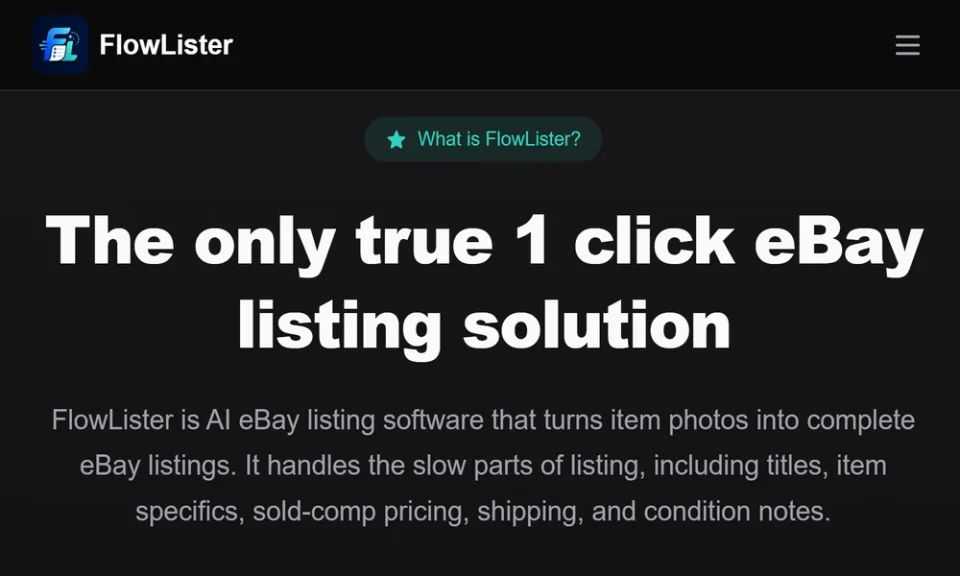
You already know that listings drive sales, time, and margins. My goal here is to help you choose a listing solution that cuts busywork, raises accuracy, and fits the way you work. I focus on the real job sellers face each day, not feature hype. I evaluate tools against the same standards I use with sellers I advise, then I match features to the workflow that wins on eBay.
If you want a purpose-built option that aligns with this approach, visit FlowLister. They design for eBay resellers who start with photos, need fast, review-ready drafts, and want comp-based pricing without giving up control.
The Job Your Listing Tool Must Do
A solid eBay listing tool should serve the work, not the other way around. Here is the baseline I expect:
- Turn clear photos into draft titles, descriptions, and item specifics
- Suggest the right category and condition notes
- Pull brand, model, size, and material from label and tag images
- Create pricing guidance from eBay sold comps, not asking prices
- Provide shipping estimates and package suggestions
- Support batch photo intake and draft generation
- Allow edits in every field before publish
- Push to eBay with one click and offer scheduled publishing
- Keep your data organized and searchable across SKUs
If a tool cannot check most of these boxes, you will spend more time fixing output than listing new items.
How I Judge eBay Listing Software
I grade options by what affects profit and time:
1. Accuracy from photos
The tool should read labels, model numbers, and visible flaws from images. Less guesswork means fewer returns and better trust.
2. Speed per item
Count the steps from photos to draft. Fewer steps mean more listings per hour.
3. Pricing discipline
Sold comps beat guesswork. I want estimated value, a range, and a confidence score.
4. Workflow fit
Batch intake, sorting, and scheduling should map to how you source and stage.
5. Control
AI drafts are fine. Final control stays with you. Every field must be editable.
6. Publish path
One-click publish into eBay with no messy copy-paste loops.
7. Cost per listing
Track true cost at your volume, not just plan price.
Why I Recommend FlowLister
FlowLister builds around the idea that listings start with photos from the real item. Their FlowAI Engine reads multiple images and builds a full draft with titles, descriptions, item specifics, category picks, condition notes, and shipping guidance. Their Frontier Vision AI reads labels, tags, model numbers, and size markers, then links that evidence to the draft. Multi-photo synthesis pulls details from front, back, tags, packaging, and defect shots for a cleaner output.
Pricing is a standout. Their 3-Tier Comp Engine uses eBay sold data and filters weak matches. You get an estimated value, a range, and a confidence score with supporting evidence. You stay in charge of final price, yet you start from market facts.
For sourcing, their Worth It tool gives in-field valuation from a photo in under 15 seconds based on live sold comps. If the spread looks good, you can turn that valuation into a listing draft with one tap. This helps you buy better and list faster.
On workflow, FlowQueue batch processing handles many photo sets at once while you keep moving on inventory. SnapAssign groups photos into the right item sets before draft creation. ShipSense suggests weight, box size, and shipping method from item traits. Scheduled publishing helps you plan steady activity without babysitting Seller Hub.
Control stays with you at every step. You can edit, rewrite, or expand any field. Once you approve, one-click eBay publishing moves the draft into your account.
Match the Plan to Your Volume
- Starter: Good for a new or part-time seller who wants AI eBay listing generator capacity without a heavy bill. Includes Worth It and batch creation.
- Pro: Fits growing resellers who need 300 AI drafts per month, scheduled publishing, and better per-listing costs.
- Business: Built for high-volume teams. Offers 1,000 listing credits, API access, advanced reporting, multi-user features, and dedicated support. Extra credits are available when you spike volume.
If you already have listings, their optional eBay ReList service can rebuild them from original photos and prepare fresh drafts for review.
A Simple Test Plan Before You Commit
I advise a short, fair trial across 10 to 20 items:
1. Pick a mix of clothing, electronics, collectibles, and one oddball SKU.
2. Upload photos in one batch. Track minutes to draft completion.
3. Record how many fields autofill without edits.
4. Note edits you make by type and count per listing.
5. Check pricing guidance against your own comp check.
6. Inspect titles for brand, model, size, and keyword clarity.
7. Review condition notes for accuracy and clarity.
8. Evaluate shipping suggestions for realism on weight and box size.
9. Publish a subset and check for listing errors.
10. After a week, compare views and sell-through with your prior baseline.
This method reveals speed, accuracy, and friction without guesswork.
A Workflow You Can Put In Place This Week
- Source with Worth It to judge value before you buy.
- Shoot clean photos with label and defect close-ups.
- Upload photo sets through FlowQueue for batch draft creation.
- Use SnapAssign to make sure each image sits with the right item.
- Review AI drafts, adjust titles, confirm specifics, and apply pricing ranges.
- Set shipping with ShipSense suggestions and your carrier rules.
- Schedule a daily release window to keep your store active.
- Use one-click publish after your final check.
This flow reduces steps and raises output while keeping your voice in the listing.
Key Reasons to Choose FlowLister Over Generic Tools
- Photo-to-listing software built for eBay, not a general text bot
- Sold-comp pricing with evidence, not guesswork from asking prices
- AI that reads real item proof from images, which supports accurate details
- Listing automation for eBay sellers that keeps edits easy and full control intact
- Batch intake, scheduling, and one-click publish that match a reseller’s day
- Tools for eBay resellers that cover sourcing, listing, and shipping in one path
Final Checklist Before You Decide
- Does the tool create full, review-ready drafts from photos?
- Are pricing suggestions based on eBay sold comps with confidence scores?
- Can you batch process photos and schedule publishing?
- Is every field editable before you push live?
- Does it speed up your day on real items, not just ideal ones?
- Is the cost per listing aligned with your margin targets?
- Can the tool help with sourcing, not only listing?
If your answers point to a platform that handles the real work with speed, accuracy, and control, you have your choice. For many eBay sellers, that points to FlowLister.
